Voicy Review: We Tested This AI Voice Dictation App
You spend your day typing: emails, reports, Slack messages, AI prompts… and you can feel it slowing you down. That’s normal, we naturally speak at around 150 words per minute, compared to 40 on average when typing. In other words, your ideas move faster than your fingers ever could.
That’s exactly the problem Voicy is trying to solve. This AI-powered voice dictation app promises to turn your voice into clean, punctuated text, directly inside all your everyday tools (Gmail, Word, Notion, Slack, ChatGPT…), without touching your keyboard. We tested it for several weeks across different use cases: here’s our full review of Voicy, its strengths, its limits, and whether it really lives up to its reputation as one of the best voice dictation apps out there.
Voicy: What to Remember
After several weeks of testing, our verdict is clear: Voicy ranks among the most polished AI voice dictation apps out there right now, for anyone who genuinely wants to ditch the keyboard on a daily basis.
- Voicy is an AI-powered voice dictation app that turns your voice into text directly inside all your everyday tools (Gmail, Word, Notion, Slack, ChatGPT, Claude…)
- Voicy supports over 50 languages, including French
- The AI doesn’t just transcribe, it rewrites, corrects, translates, and shortens text on command
- Available on Mac, Windows, Chrome extension, as well as iOS and Android apps
- Privacy-focused: no audio recordings stored on Voicy’s servers, transcripts kept locally
- Pricing starts at $8.49/month (or $260 for lifetime access), with a 30-minute free trial
🔥 Get 10% off your Voicy subscription with our promo code MAXIME10
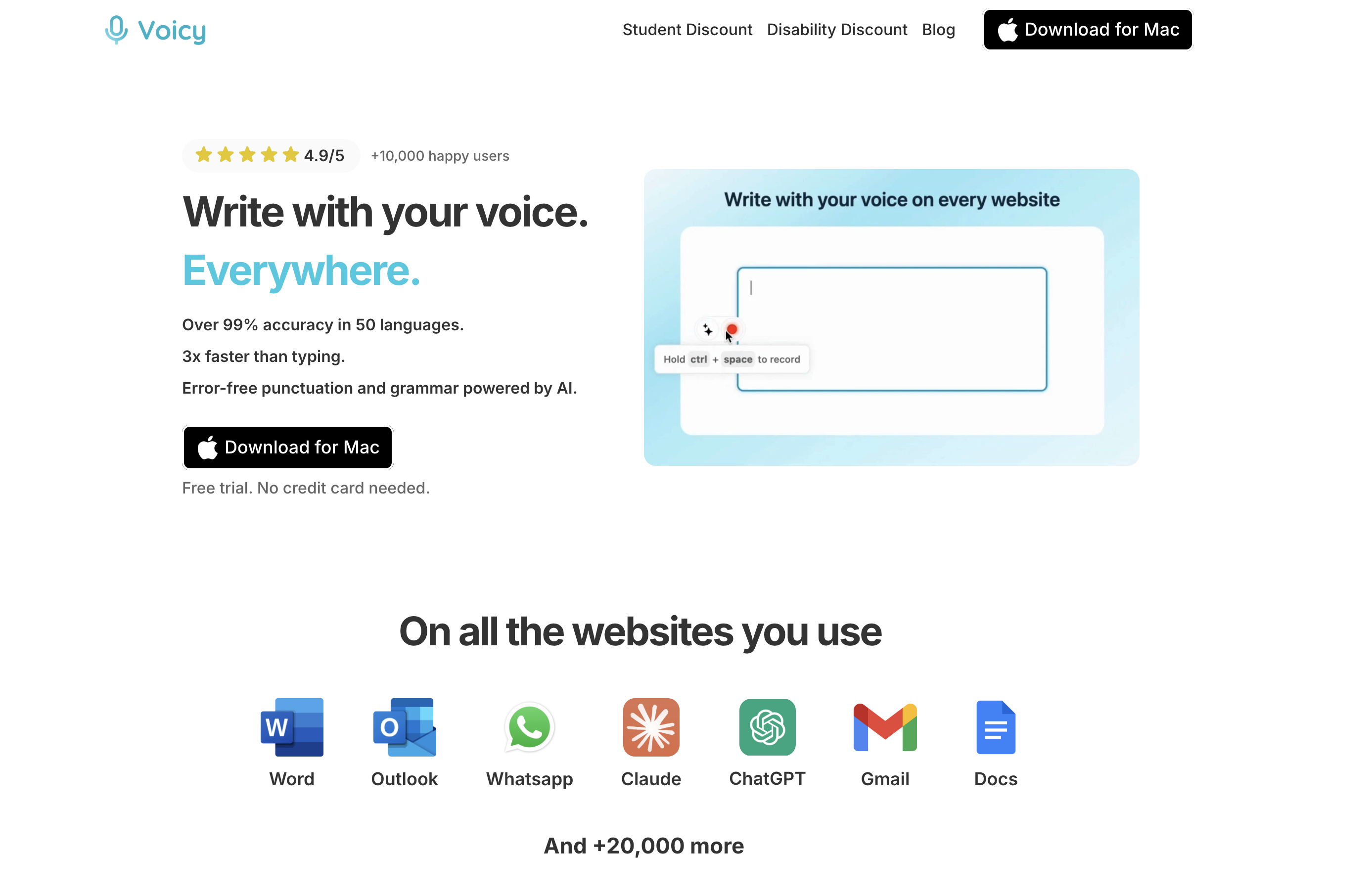
What Is Voicy?
Voicy is an AI-powered voice dictation app, available on Mac, Windows, and as a Chrome extension.
Unlike your device’s built-in dictation (often limited and inaccurate), Voicy installs once and then works across all your everyday tools: Gmail, Google Docs, Word, Notion, Slack, WhatsApp, and even ChatGPT or Claude.
The idea is simple, replace your keyboard with your voice, without changing how you already work or juggling between multiple apps.
How Voicy Works Day to Day
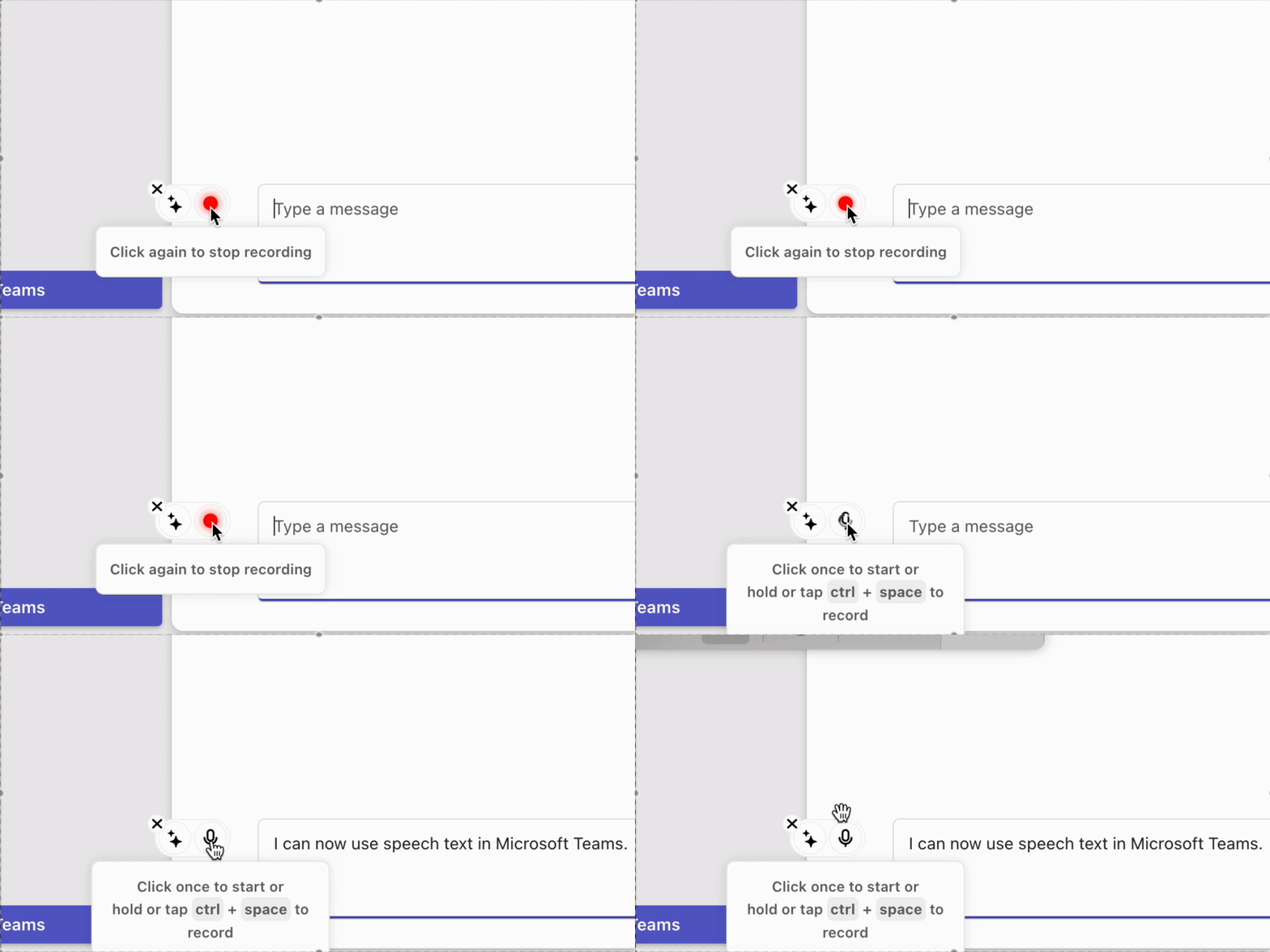
Once installed, you just press a keyboard shortcut to start recording, speak naturally, then press it again to stop. The text appears directly wherever your cursor is, already punctuated and corrected. No need to say “comma” out loud, no formatting to redo afterward.
Voicy's Key Features
- Speech recognition claimed to be over 99% accurate across 50+ languages, including French
- AI commands to rewrite, shorten, or fix a text just by talking, no need to switch back to the keyboard
- Automatic voice translation, for example from French to English, in one command
- Claimed compatibility with over 20,000 websites and apps
- A privacy-first approach, with transcripts kept locally and no recordings stored on Voicy’s servers
Voicy in Practice: Our Hands-On Test
Installation and Getting Started
Accuracy Put to the Test
We tested Voicy across several types of content: everyday emails, the beginning of this article, and sentences deliberately packed with made-up or casual words. The result was genuinely impressive, even that kind of odd, invented word came out correctly in writing, without the tool trying to swap it for a “more likely” one, something even the best dictation tools tend to do. Another strong point, Voicy lets you add your own vocabulary (a brand name, a recurring technical term, an unusual name) so it’s remembered and used correctly in every dictation afterward.
AI Commands: Voicy's Real Edge
This is the feature that truly sets Voicy apart from a standard dictation tool. You can dictate a rough draft without overthinking your wording, then say out loud “make this more professional” or “shorten this paragraph,” and Voicy reworks the text directly, no need to switch back to the keyboard to edit. We also tested the command “transcribe this in English” while speaking French, and the text came out correctly translated into English, no separate translation tool needed.
Our Verdict After Testing
Across every use case we tried (emails, writing, specific vocabulary), we didn’t run into any real blocking limitation, and we came away genuinely convinced. Voicy naturally found its place in how we work day to day, to the point where going back to the keyboard now feels harder than it should. An app we’d recommend without hesitation!
Want to Try Voicy for Yourself?
Stop wasting time typing, dictate your emails, notes, and documents in seconds! Enjoy a 30-minute free trial with no credit card required, plus an extra 10% off with our MAXIME10.
Pros and Cons of Voicy
✅ What We Liked
- Works across all your everyday tools: Gmail, Word, Notion, Slack, ChatGPT, Claude…
- Impressively accurate, even with made-up or casual vocabulary
- Lets you add your own vocabulary (names, technical terms, industry jargon)
- AI commands that go far beyond simple dictation: rewriting, shortening, on-the-fly translation
- Instant setup, no complex configuration required
- Available on Mac, Windows, Chrome extension, and now iOS and Android apps
- Privacy-focused approach, with transcripts stored locally
- A 20% discount for people with disabilities, no proof required, a genuinely rare gesture in this space
⚠️ What Could Be Better
- Requires an internet connection to work, no offline mode is available
- Less suited if you’re just looking to dictate the occasional quick note: Voicy’s price and advanced features really pay off with heavy, daily use
Voicy Pricing
| Plan | Price | Included |
|---|---|---|
| Free trial | $0 | 30 minutes of dictation, full feature access, no credit card |
| Pro | $8.49/month (-20% billed annually) | Unlimited voice recording, unlimited personal devices, desktop + mobile |
| Lifetime | $260 (one-time payment, limited offer) | Same benefits as Pro, lifetime access |
| Team | $6.79/user/month | Minimum 3 users, unlimited recording, desktop + mobile, priority support |
Voicy offers a 30-minute free trial with full access to every feature, no credit card required. After that, the app runs on a paid subscription, with a lifetime option also available. Voicy also offers a student discount, as well as a 20% discount for people with disabilities across all plans, with no proof required.

Voice Dictation: Is Voicy a Good Choice?
If you’re looking for a reliable voice dictation app that goes beyond simple transcription to genuinely save you time every day, on desktop as well as mobile, then yes, Voicy is a good choice. Its accuracy, AI commands, and compatibility with most of the tools you already use (Gmail, Notion, ChatGPT, Claude…) make it one of the most well-rounded apps on the market, particularly well suited to professionals who write a lot.
That said, if you’re just looking for an occasional tool to dictate the odd note, or if you need a fully offline solution, it may be worth comparing Voicy with other options before committing.
🔥 Bonus: we’ve got an exclusive Voicy offer just for you. Get 10% off your subscription with our promo code MAXIME10.