Kinsta review: is it worth it in 2026?
Thinking about switching to Kinsta but not sure if it’s really worth the price? I had the exact same question.
After several years using o2switch, I started facing limitations in performance, stability, and scalability. My site was growing, and I needed a hosting solution that could keep up. So I decided to migrate my website to Kinsta.
In this review, I’ll share my honest experience after switching from o2switch to Kinsta, including real performance results, pros and cons, pricing, and whether it’s actually worth it in 2026.
Quick answer: Yes, Kinsta is worth it if you need high performance and reliability — but it’s not for everyone.
Kinsta: Key Takeaways
- Kinsta is a premium managed WordPress hosting built for performance and scalability
- It delivers faster performance and lower TTFB
- Infrastructure is powered by Google Cloud Platform, ensuring high reliability
- Kinsta is ideal for growing websites, businesses, and SEO-driven projects
- Kinsta pricing starts around $30–35/month, making it more expensive than shared hosting
Why I switched from o2switch to Kinsta
After several years using o2switch, my website started to hit some clear limitations.
At first, everything was fine. It’s a solid hosting solution, especially for beginners. But as my traffic and content grew, I began to notice performance issues, especially during peak traffic periods.
Page load times became inconsistent, and I didn’t have the level of control or optimization I was looking for.
That’s when I started looking into premium managed WordPress hosting — and Kinsta quickly stood out.
Kinsta performance: real results after migration
After migrating my website from o2switch to Kinsta, the difference was immediately noticeable.
The first thing I saw was a significant improvement in loading speed. Pages that used to load in around 2.5–3 seconds on o2switch now load in about 1–1.5 seconds on Kinsta.
Time to First Byte (TTFB) dropped from roughly 600–800 ms to around 150–250 ms, which had a direct impact on overall responsiveness.
Performance also became much more stable, even during traffic spikes. Before, I could experience slowdowns during peak periods, whereas with Kinsta, the site remains fast and consistent.
Another big improvement was reliability. I experienced fewer slowdowns, and my site handled traffic much better than before.
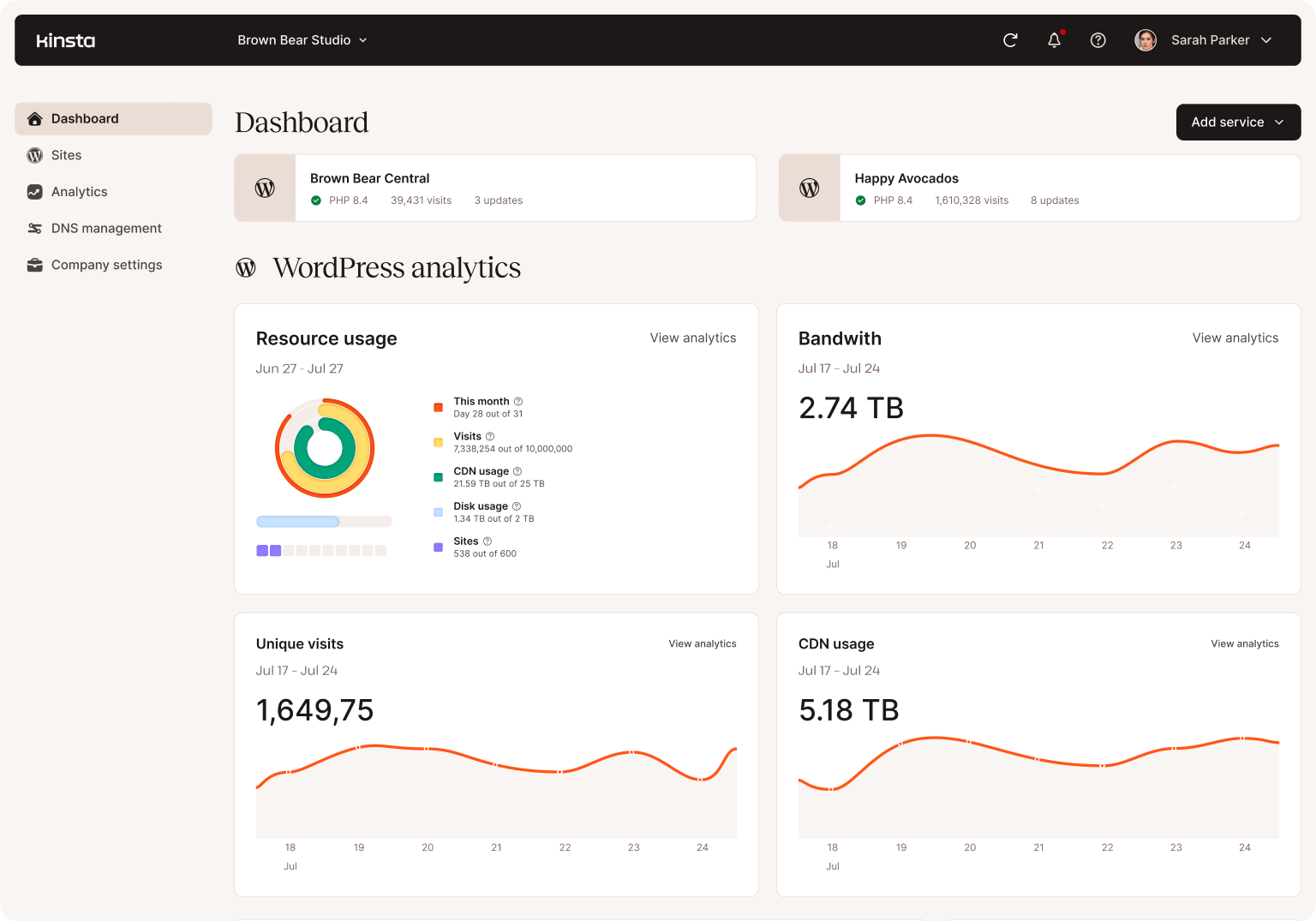
This is largely due to Kinsta’s infrastructure, which is built on Google Cloud Platform and optimized specifically for WordPress.
👉 Key improvements after switching to Kinsta:
- Page load time: ~2.5–3s → ~1–1.5s
- TTFB: ~600–800ms → ~150–250ms
- More stable performance under load
- Faster backend experience
- Better overall reliability
Kinsta pros and cons
| Pros | Cons |
|---|---|
| Excellent performance and fast loading times | More expensive than traditional hosting |
| Very low TTFB thanks to Google Cloud infrastructure | Not ideal for beginners or very small websites |
| Stable performance during traffic spikes | No email hosting included |
| Intuitive and powerful MyKinsta dashboard | Less flexibility than a fully custom server setup |
| High-quality support with WordPress expertise | |
| Built-in features like backups, staging, security, and CDN |
Upgrade Your Hosting with Kinsta
Kinsta pricing: is it worth the cost?
Kinsta is clearly positioned as a premium managed WordPress hosting provider. Plans start at around $30–35/month, which is significantly higher than traditional hosting solutions like o2switch.
At first, this price can seem expensive. But when you look at what’s included — performance, security, support, and infrastructure — it starts to make more sense. You’re not just paying for hosting. You’re paying for a fully optimized environment designed for speed, stability, and scalability.
For growing websites, businesses, or content-heavy platforms, this investment can quickly pay off.
However, if you’re just starting out or running a small website with low traffic, Kinsta might be overkill.
Kinsta vs o2switch: which one should you choose?
| Feature | Kinsta | o2switch |
|---|---|---|
| Performance | Very high (Google Cloud, optimized stack) | Good (shared hosting) |
| TTFB | ~150–250 ms | ~600–800 ms |
| Stability | Excellent under load | Can slow down during peaks |
| Ease of use | Modern dashboard (MyKinsta) | cPanel (classic) |
| Support | Expert WordPress support | General hosting support |
| Pricing | Premium (~$30+/month) | Affordable (~€7/month) |
| Best for | Growing sites, businesses, SEO | Beginners, small websites |
Kinsta clearly wins in terms of performance, stability, and overall user experience.
However, o2switch remains a solid choice if you’re looking for a more affordable solution and don’t need advanced performance.
👉 If performance is a priority for your website, Kinsta is the better choice.
Who should use Kinsta (and who shouldn’t)
Kinsta is not for everyone — and that’s actually a good thing.
It’s a premium hosting solution designed for performance, reliability, and scalability. But depending on your situation, it might be either a perfect fit… or unnecessary.
✅ Kinsta is a great choice if:
- You run a growing website with increasing traffic
- You care about performance and SEO
- You manage a business, blog, or content-heavy site
- You want a reliable and stable hosting environment
- You prefer a managed solution with expert support
⚠️ Kinsta might not be the best option if:
- You’re just starting your first website
- You have very low traffic
- You’re on a tight budget
- You don’t need advanced performance or scalability
Final verdict: is Kinsta worth it?
After switching from o2switch to Kinsta, the difference in performance, stability, and overall experience is clear.
Kinsta is not the cheapest hosting solution — but it’s not trying to be.
It’s a premium platform built for websites that need speed, reliability, and scalability. If your website is growing or plays an important role in your business, the investment is absolutely worth it.
On the other hand, if you’re just starting out or running a small project, you probably don’t need this level of performance yet.
👉 My verdict: Kinsta is 100% worth it for growing websites and businesses.
Kinsta FAQ
Is Kinsta worth it?
Is Kinsta better than o2switch?
Why is Kinsta so expensive?
Is Kinsta good for SEO?
Does Kinsta offer a promo code?
This article is based on our own research and experience. Some links may be affiliate links, which helps support our work at no extra cost to you. ❤️